Project 2.3
Multi-Company Sales Management App
An app where sales teams log client meetings and track weekly KPI targets, with automated weekly Excel reports to managers and midweek target alerts.
- companies in production
- 4
- sales meeting reports logged
- 240+
1Walkthrough and screens
 Open at full size
 Open at full size
 Open at full size
 Open at full size
 Open at full size
 Open at full size
 Open at full size
 Open at full size
 Open at full size
 Open at full size
 Open at full size
 Open at full size
2The problem
Sales teams in four companies log client meetings and work to weekly KPI targets. Their managers need a report every week and a signal on targets before the week ends.
3What I built
I built an app where sales teams log client meetings and track weekly KPI targets. It is in production across four companies, with 240+ sales meeting reports logged.
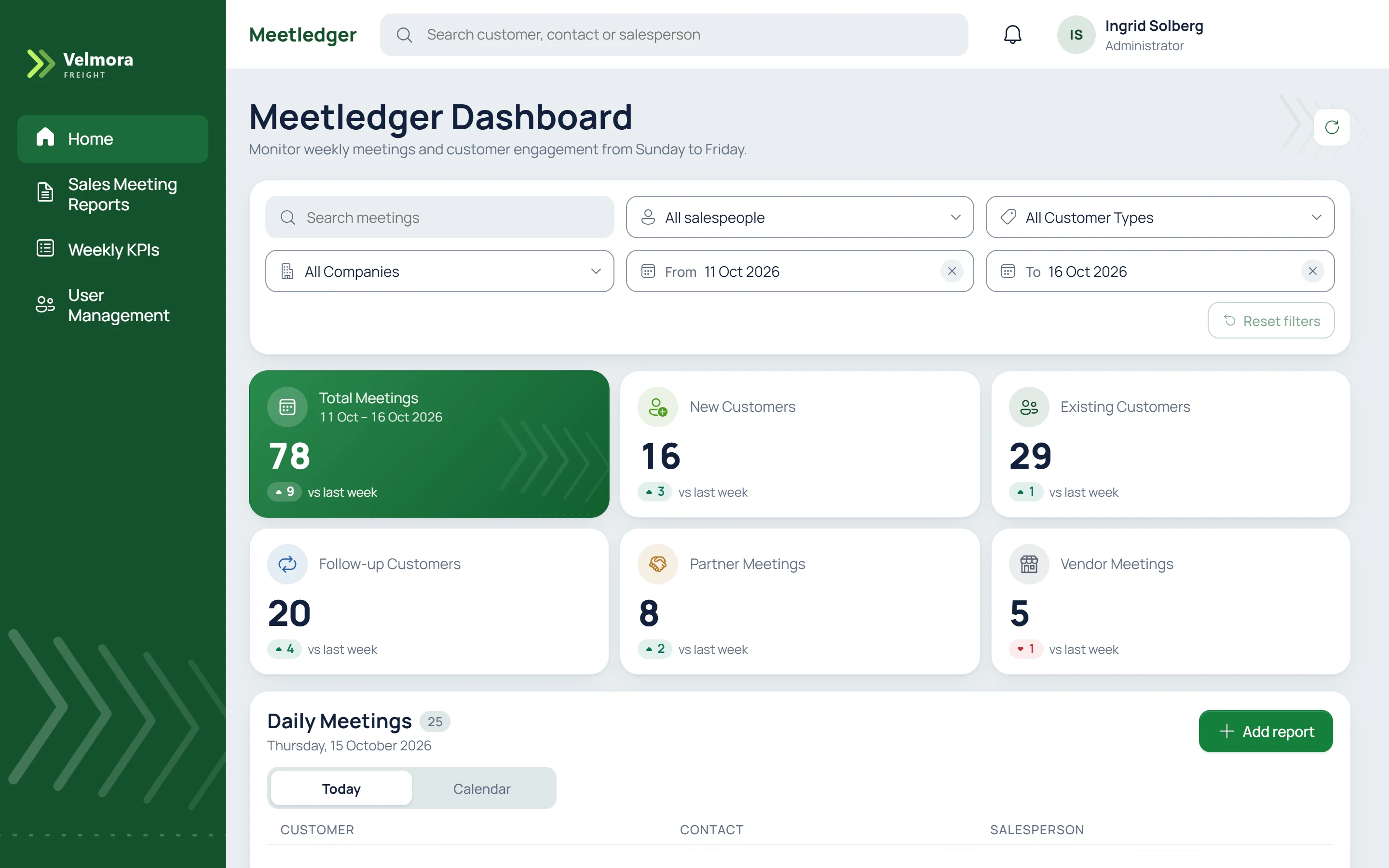
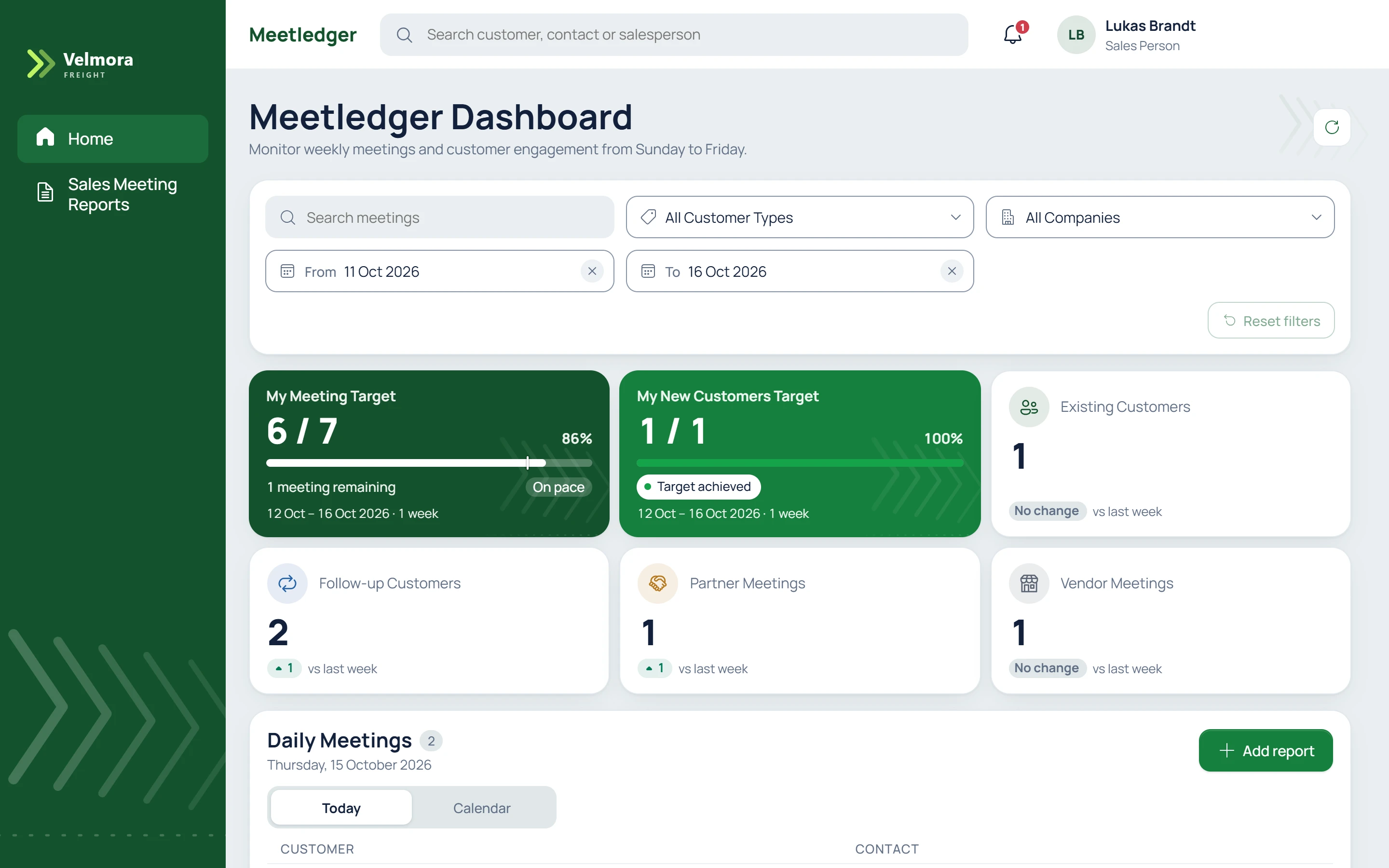
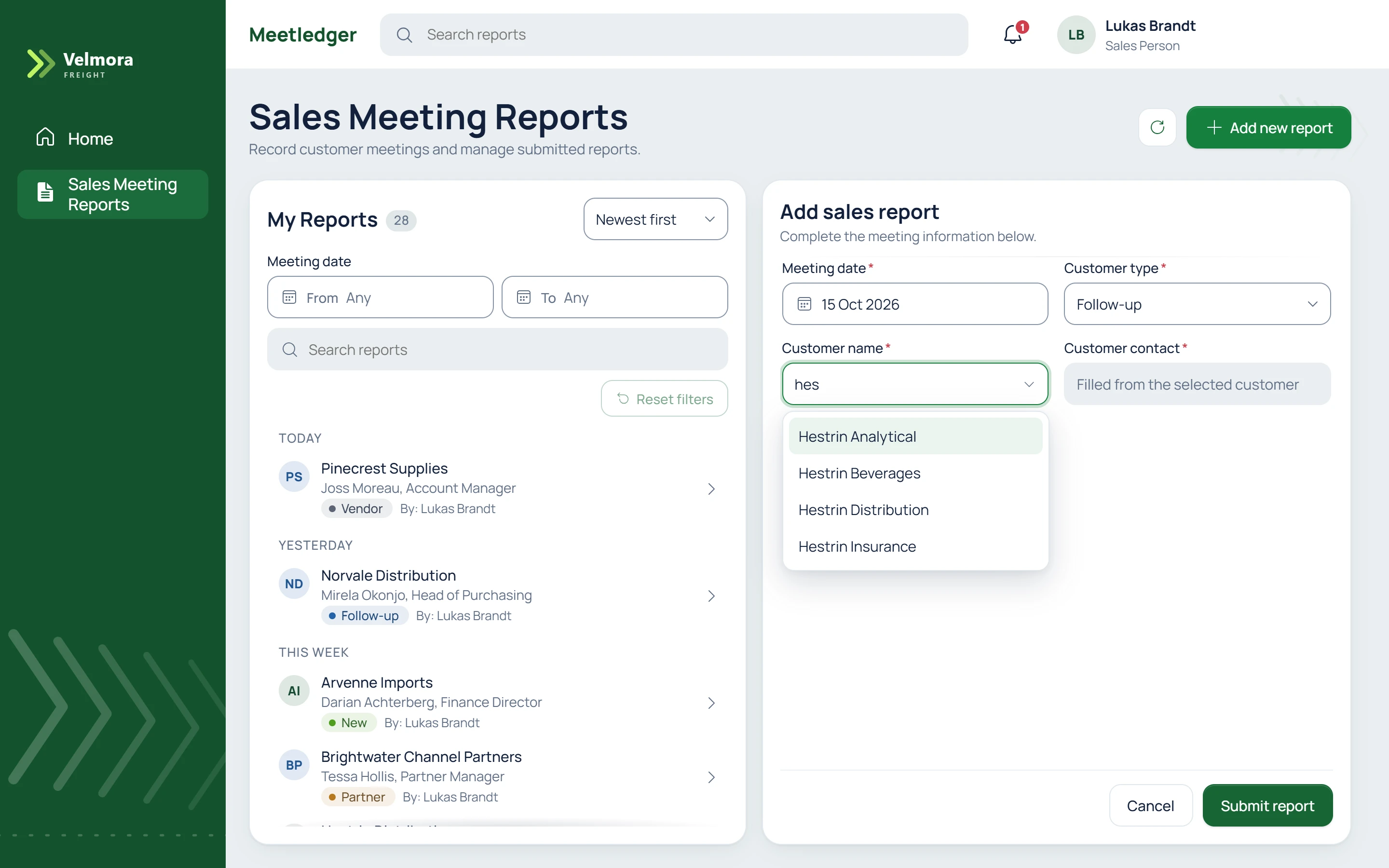
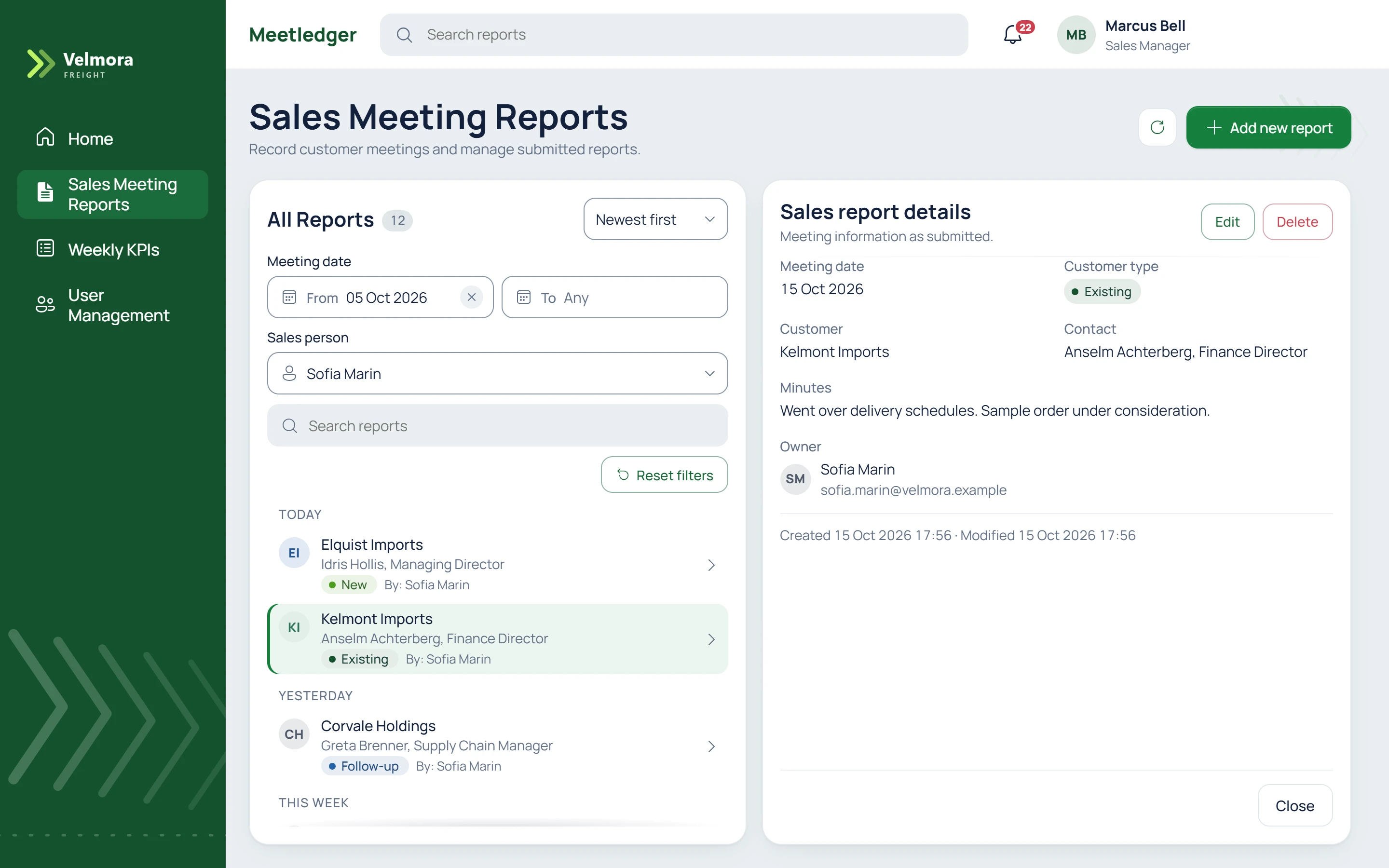
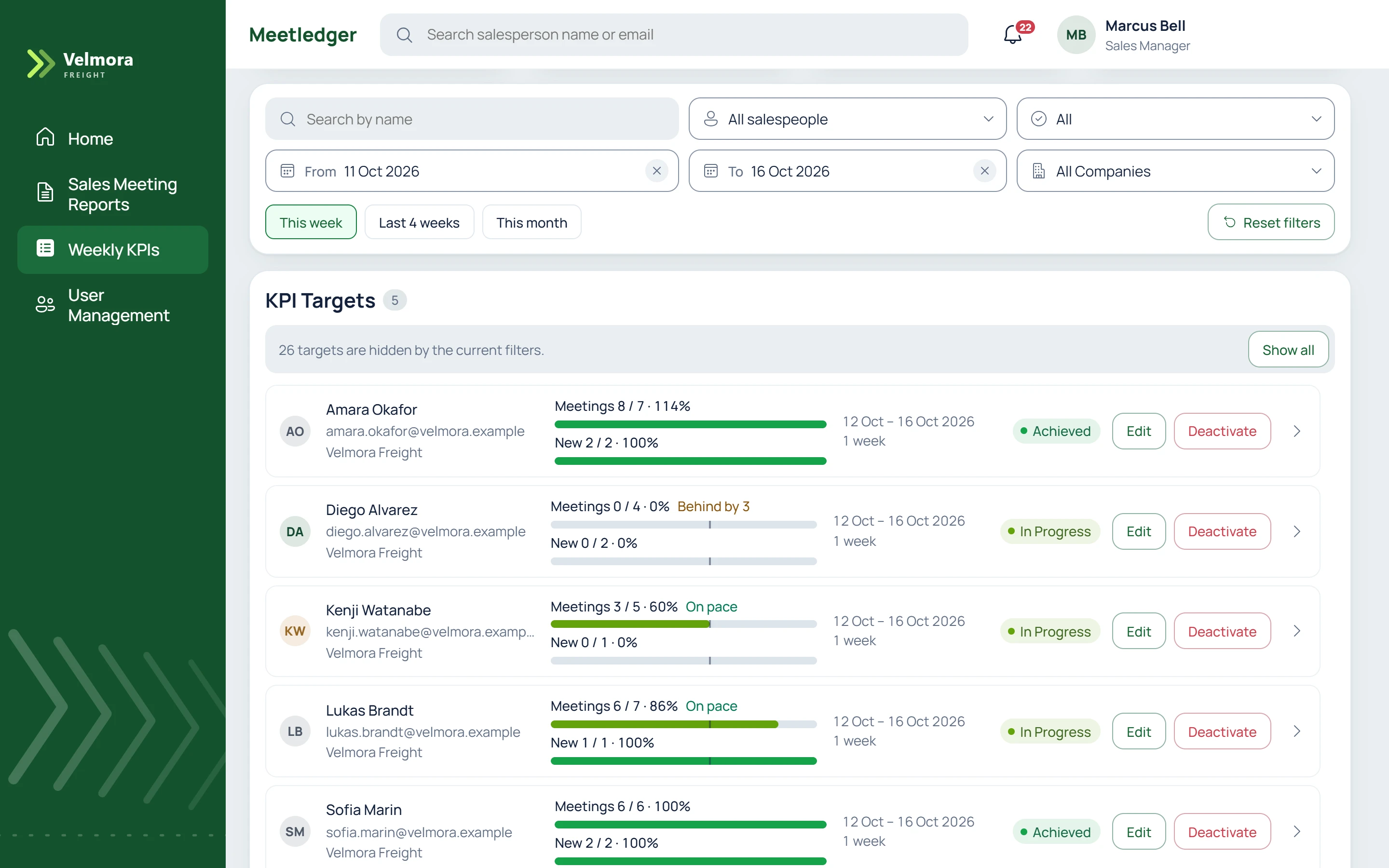
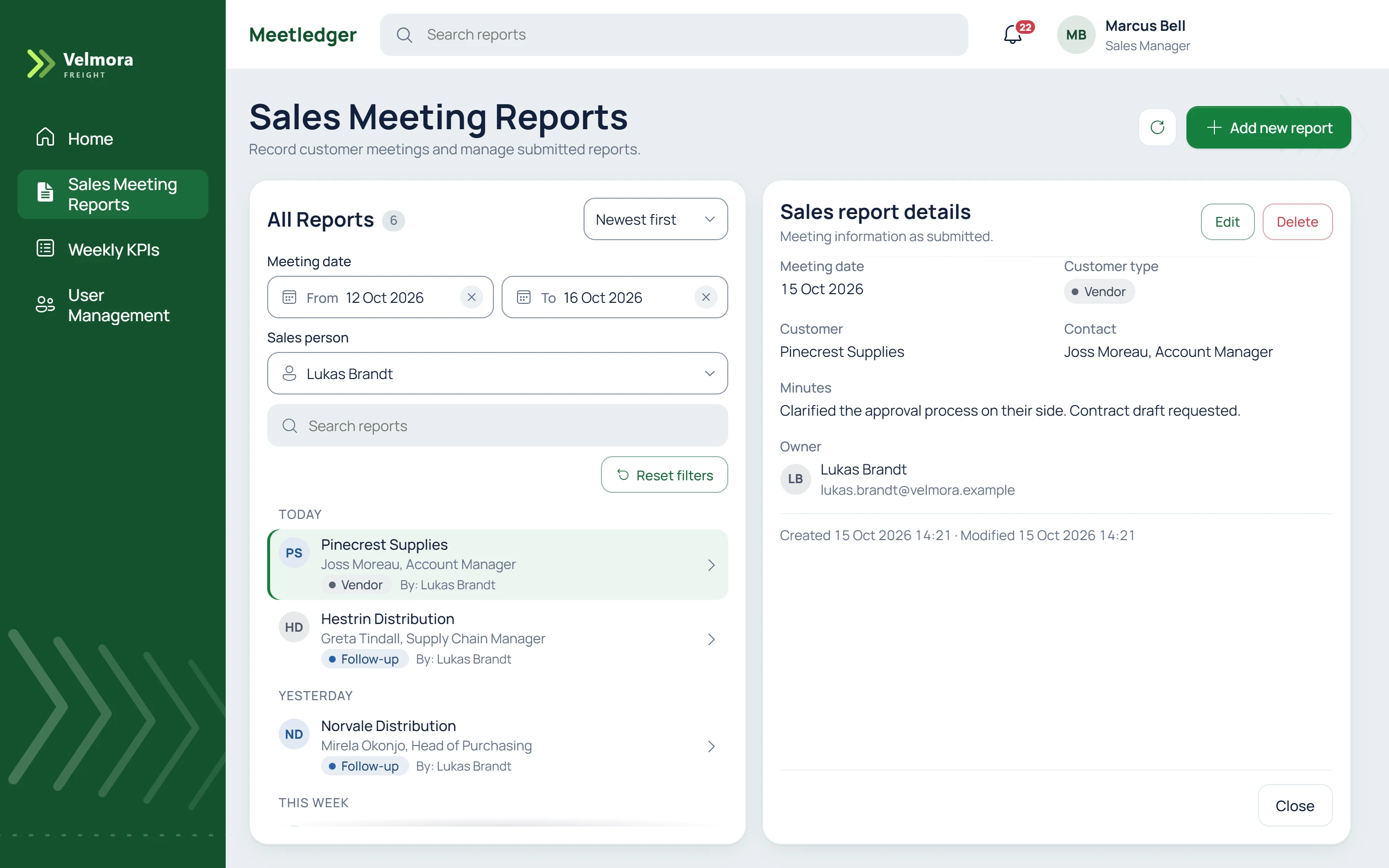
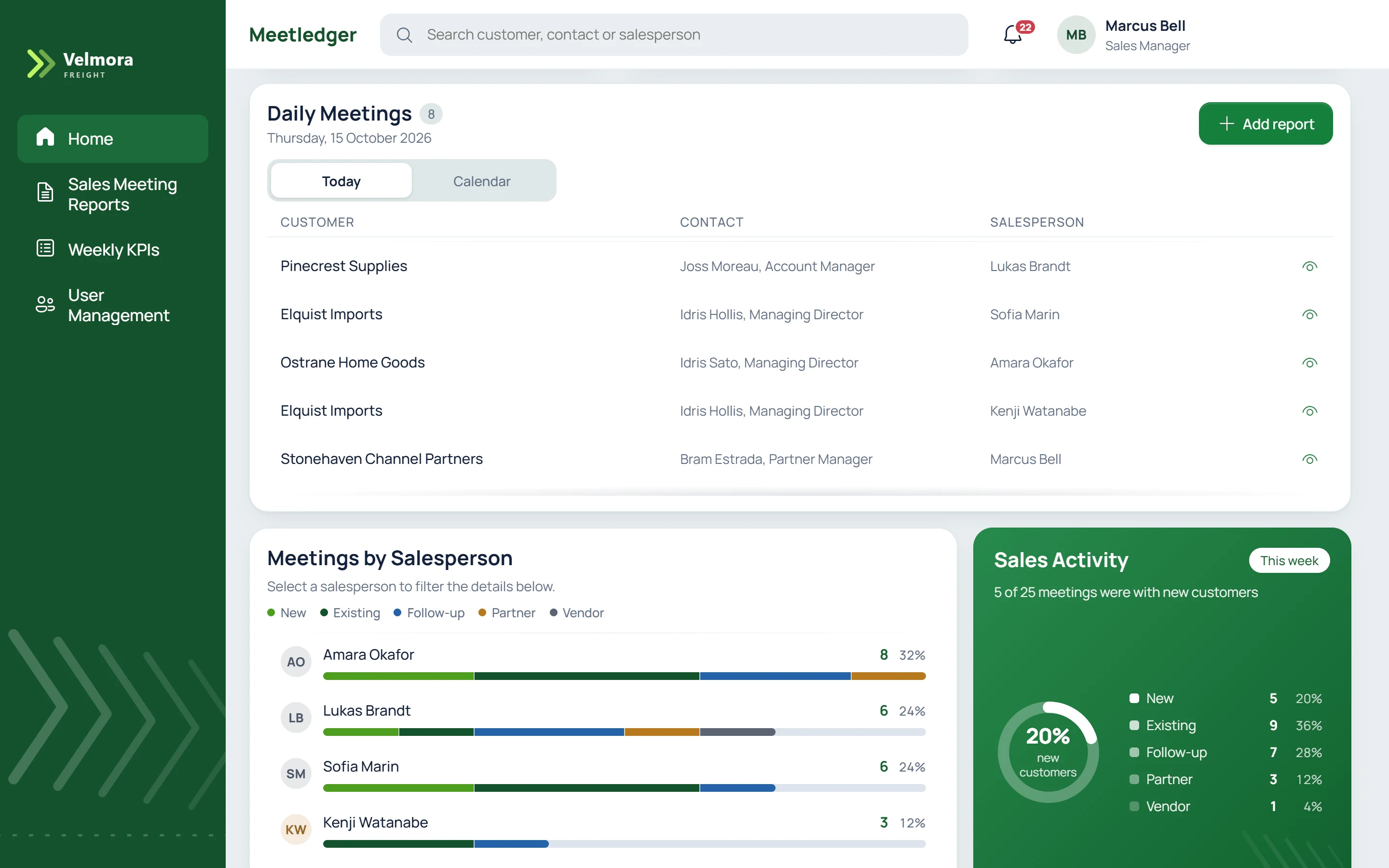
The screens show its code app version, in React and TypeScript, running locally.
4How it works
- Stack. Power Apps, Dataverse and Power Automate.
- Role-based access. Four roles, applied in the app.
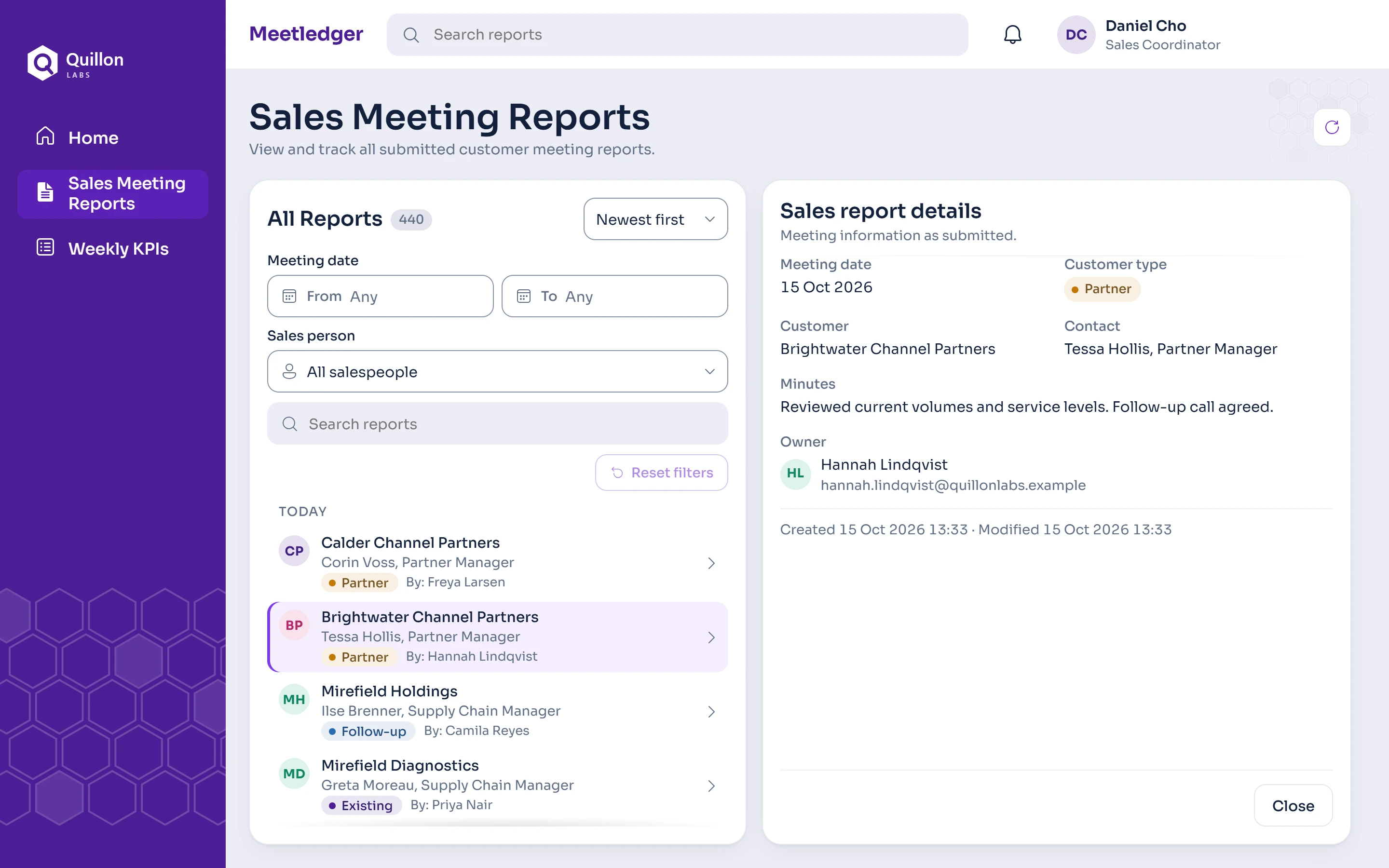
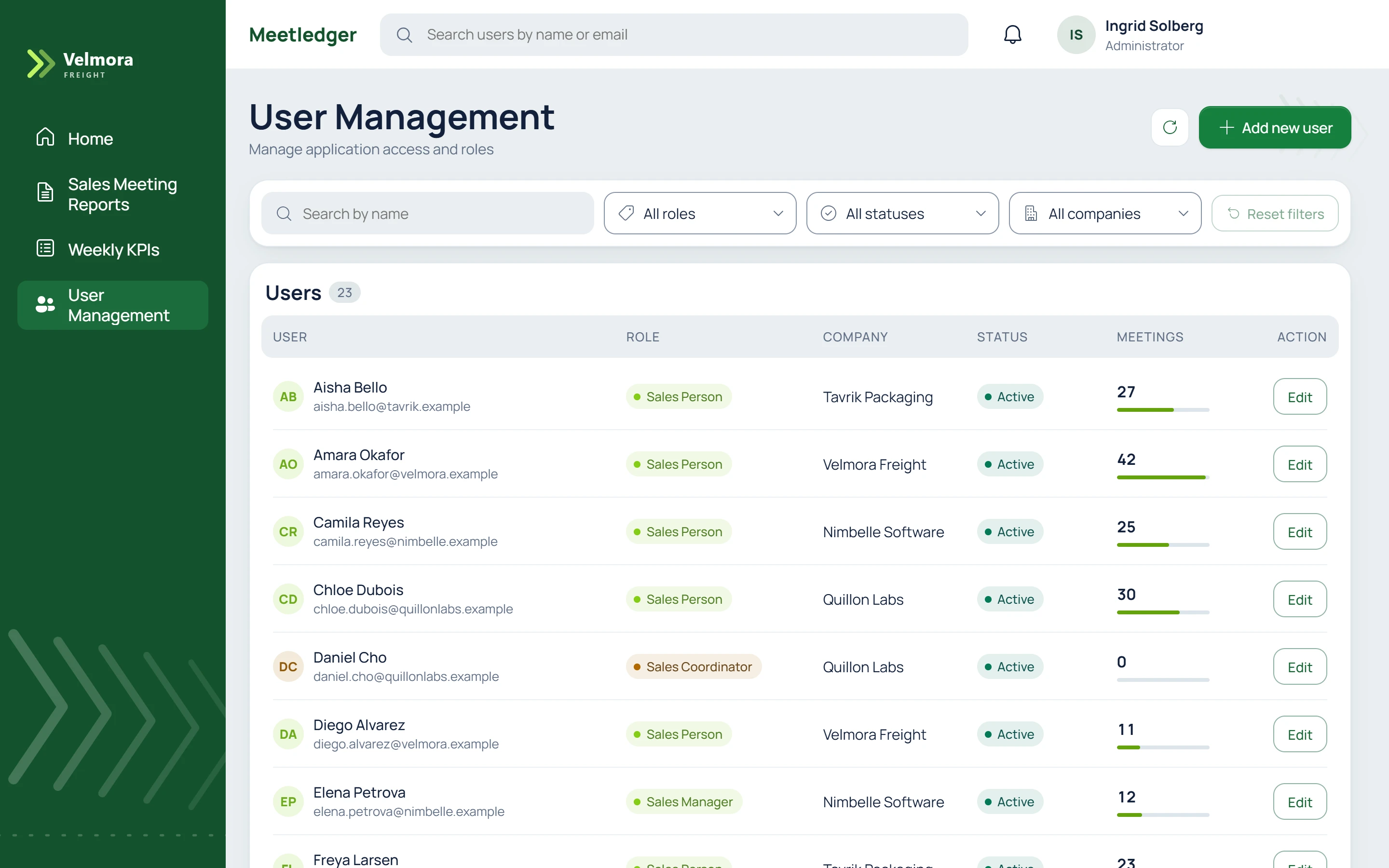
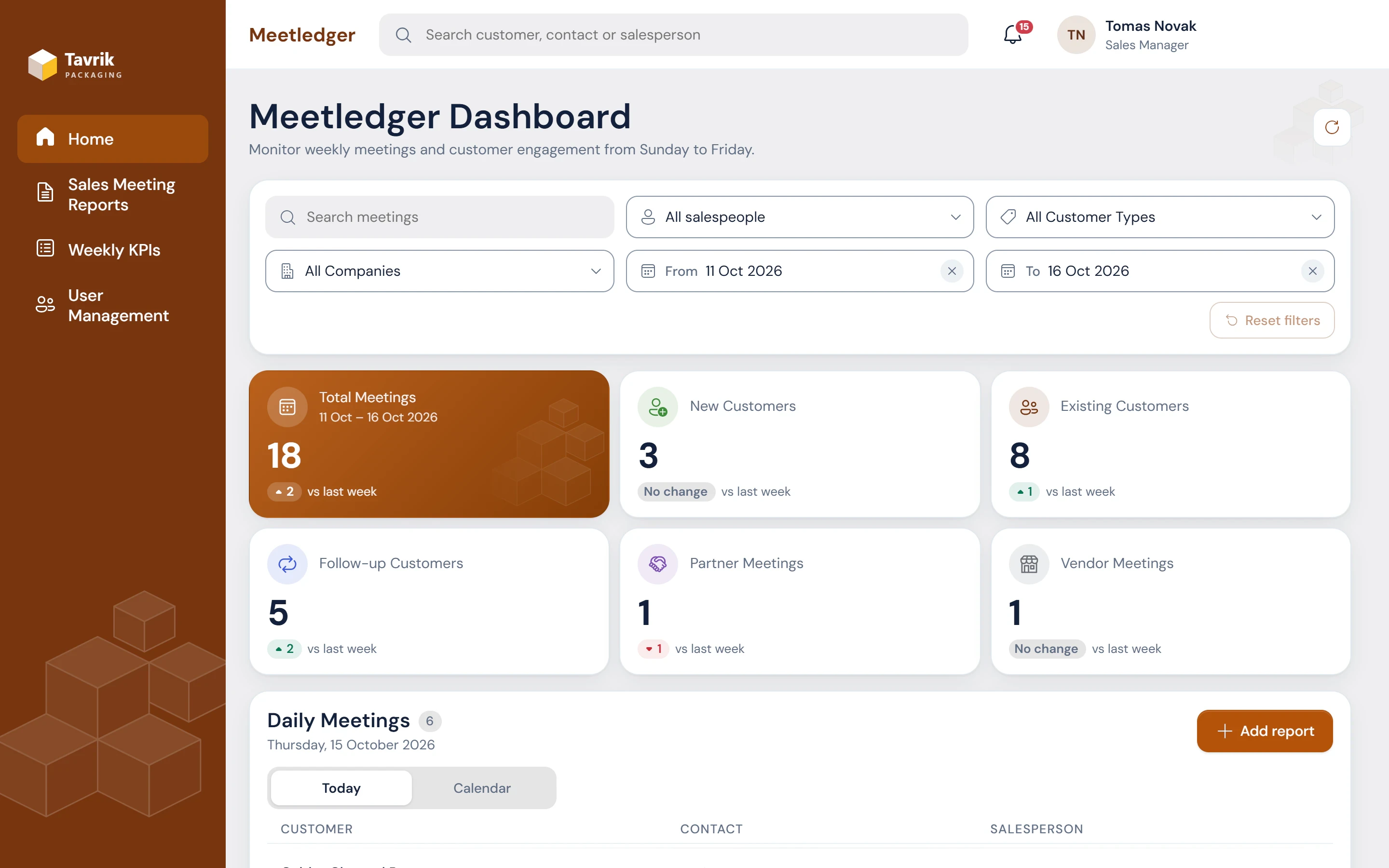
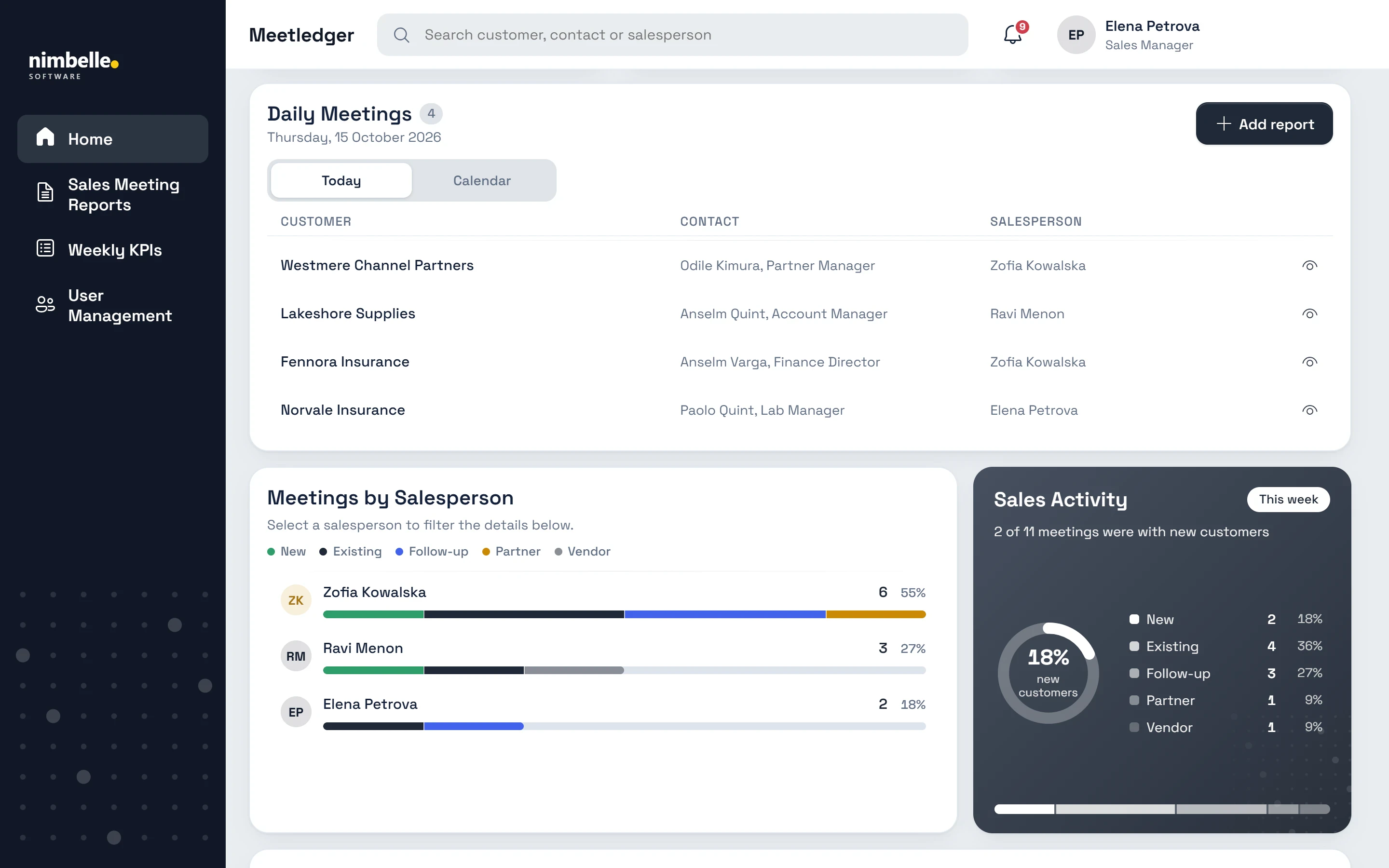
- One code base, four themes. Each company gets its own colors, typeface, logo and artwork.
- Automation. A weekly Excel report to managers, and target alerts midweek.
5What it shows
- Salesperson. Logs a meeting and sees weekly targets with progress and pace.
- Sales manager. Sets targets, follows the team and drills from a KPI into its meetings.
- Sales coordinator. Reads every company’s reports, with no add, edit or delete controls.
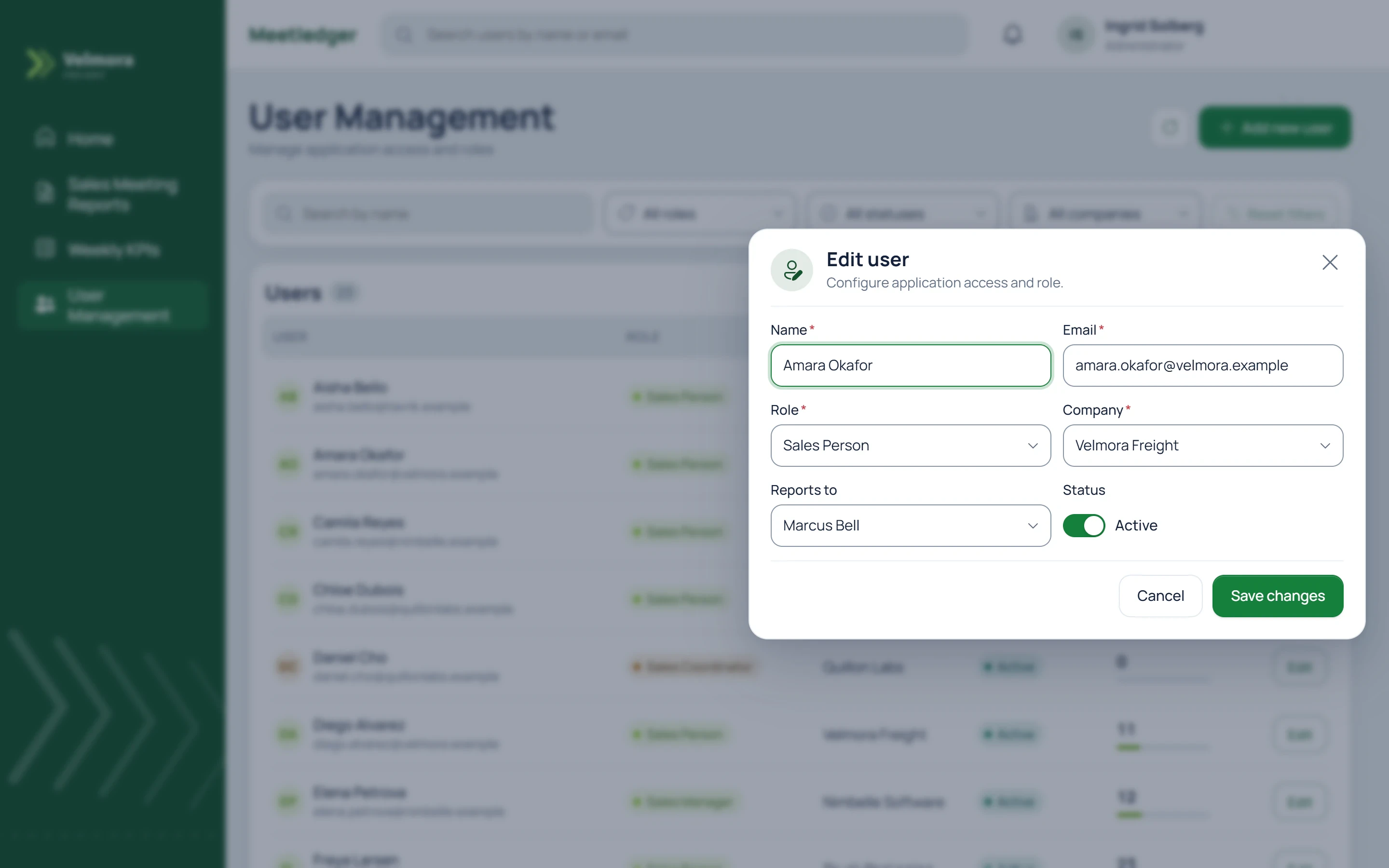
- Administrator. Manages users, roles and reporting lines.